
Gillian F.
Verified20/09/2026
The upload checker made it easy to catch the right sheet size before ordering. The print came out sharp and clean.
Item type:
22 × 24 in
300 DPI target
Resolution checked before print
Fast turnaround
Upload your finished layout
Reliable shipping
Packed to arrive print-ready
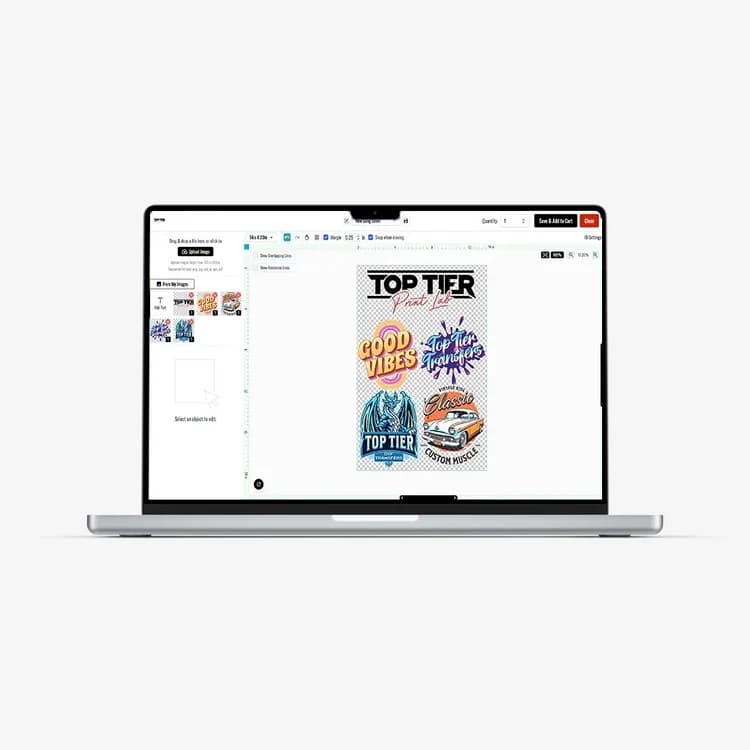
Already arranged your artwork in Photoshop, Illustrator, Canva, or another design tool? Upload the finished gang sheet directly and keep your exact layout.
We analyze the uploaded pixel dimensions, match the closest supported physical sheet size, and calculate the effective DPI at print size. Our production target is 300 DPI.
Your layout stays yours — we verify the file before it goes to print.
Upload a finished gang sheet and keep your exact layout. We analyze the file size, physical sheet match, and effective DPI before production.
Every uploaded sheet is reviewed before production. If we detect a serious resolution or file issue, the order can be held for review instead of sending a bad print to production.
Use a quality heat press with even pressure and follow the transfer instructions included with your order. Always test a new garment or material before a large production run.
Uploaded gang sheets are custom printed products. Production begins after artwork review, and shipping times are shown during checkout.
Upload the final gang sheet at its intended print dimensions whenever possible. Our production target is 300 DPI. Transparent PNG is preferred for raster artwork.
20/09/2026
The upload checker made it easy to catch the right sheet size before ordering. The print came out sharp and clean.
Item type:
22 × 24 in
21/09/2026
I already had my gang sheet built, so uploading directly saved a lot of time. Pressing was consistent across the whole sheet.
Item type:
22 × 36 in
24/09/2026
Great color and detail. I also liked seeing the DPI check before adding the order to cart.
Item type:
22 × 48 in
25/09/2026
The finished result looked professional and the sheet dimensions matched what I uploaded.
Item type:
22 × 24 in
27/09/2026
Simple workflow: choose size, upload, check quality, order. Exactly what I needed for repeat merch runs.
Item type:
22 × 60 in
29/09/2026
Fast and straightforward. The resolution warning is useful when customers send me low-quality artwork.
Item type:
22 × 36 in
Before you print
The page checks your sheet dimensions and effective DPI before you add the uploaded gang sheet to cart.
Need help?
What you need to know before uploading a completed gang sheet.
For now, upload a high-resolution PNG, JPG, JPEG, or WEBP. Transparent PNG is preferred when your sheet contains transparent areas.
Our target is 300 DPI at the final physical print size. Files around 250 DPI may still be usable, but lower-resolution files can print soft or pixelated.
We compare the uploaded image aspect ratio against the supported gang sheet sizes, then automatically choose the closest size. You can still change the size manually.
Effective DPI is based on actual pixel dimensions divided by the selected physical print dimensions. Embedded metadata alone does not guarantee print resolution.